

How Reperline keeps a project on plan
One loop runs every day: the plan is the baseline, facts come in from site and office, rules check them, a signal reaches the person responsible, and the decision is logged.
01Plan: the baseline everything is measured against
A project is split into phases and milestones with planned dates. A schedule PDF can be imported: the import shows every change as a preview and applies nothing until the owner confirms it.
The budget is a set of groups and items with planned amounts. A template with eleven groups is ready to fill. Client contracts carry their instalment schedules, and each tender is tied to the budget item it will spend.
- Who takes part
- The owner and finance set it up; the wizard offers a template at each step.
- What you see
- Planned dates, planned amounts and expected receipts by month.
02Fact: data comes in where people already work
The site manager sends progress with a note and photos from a bot and a Mini App in Telegram. Nothing to install, nothing to learn.
The office enters invoices, payments and commitments. Claude can read an invoice and file it as a proposal, but it becomes a record only after a person approves it in the inbox. Receipts from buyers are matched to their instalments.
- Who takes part
- Site managers, finance and sales, each within their role.
- What you see
- Every entry in a journal with its author, its date and its photos.
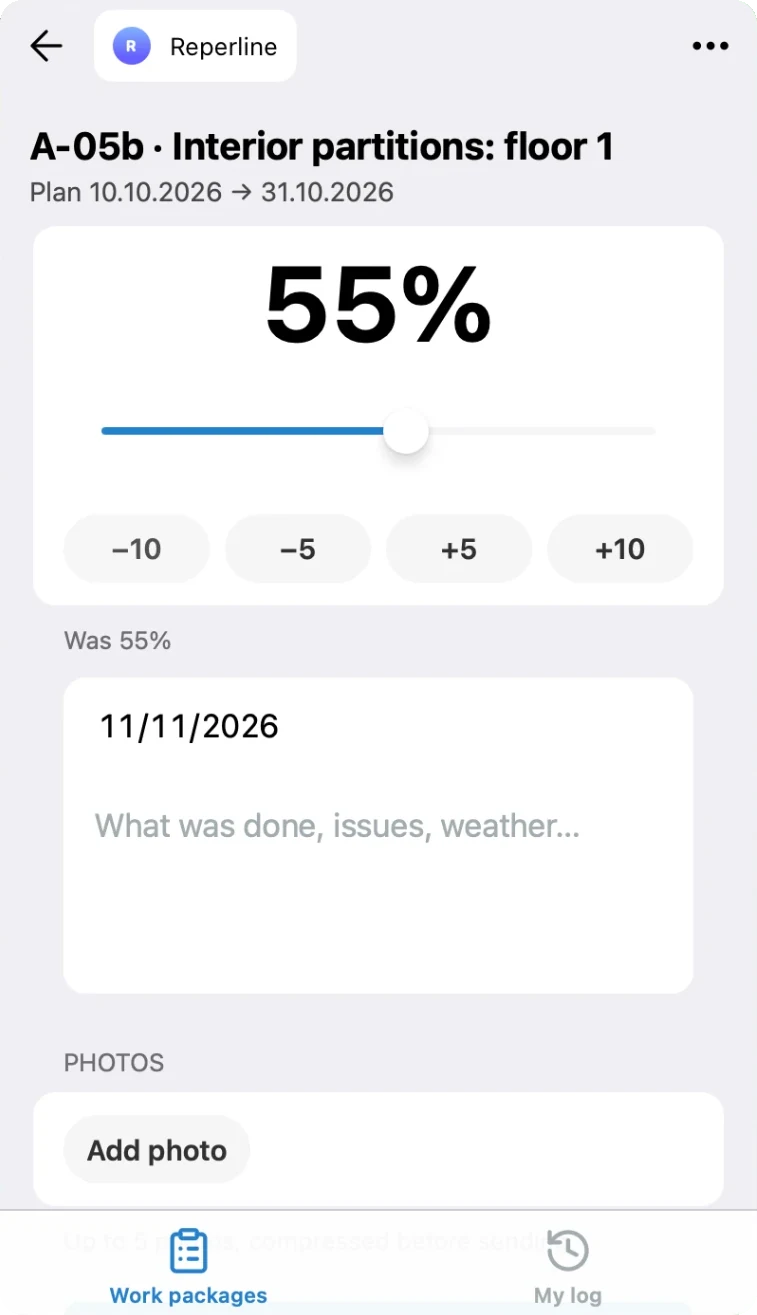
A fact from site: percent, note and photos, sent from Telegram. Demo data. 03Check: rules compare fact with plan automatically
Six checks review every entry from site before it is saved: lowered progress, a big jump, 100% while an earlier work package is unfinished, a suspicious date, 100% without a note, progress on a phase that has not started. The person sees the warning and may confirm with an explanation.
A milestone gets a forecast end from its actual pace. An item gets a forecast spend from what is invoiced plus what is committed. Where a fact is missing, the system shows the gap and calculates nothing on top of it.
- Who takes part
- Nobody has to run anything: the checks work on every entry.
- What you see
- Forecast end per milestone, forecast spend per item, gaps marked as gaps.
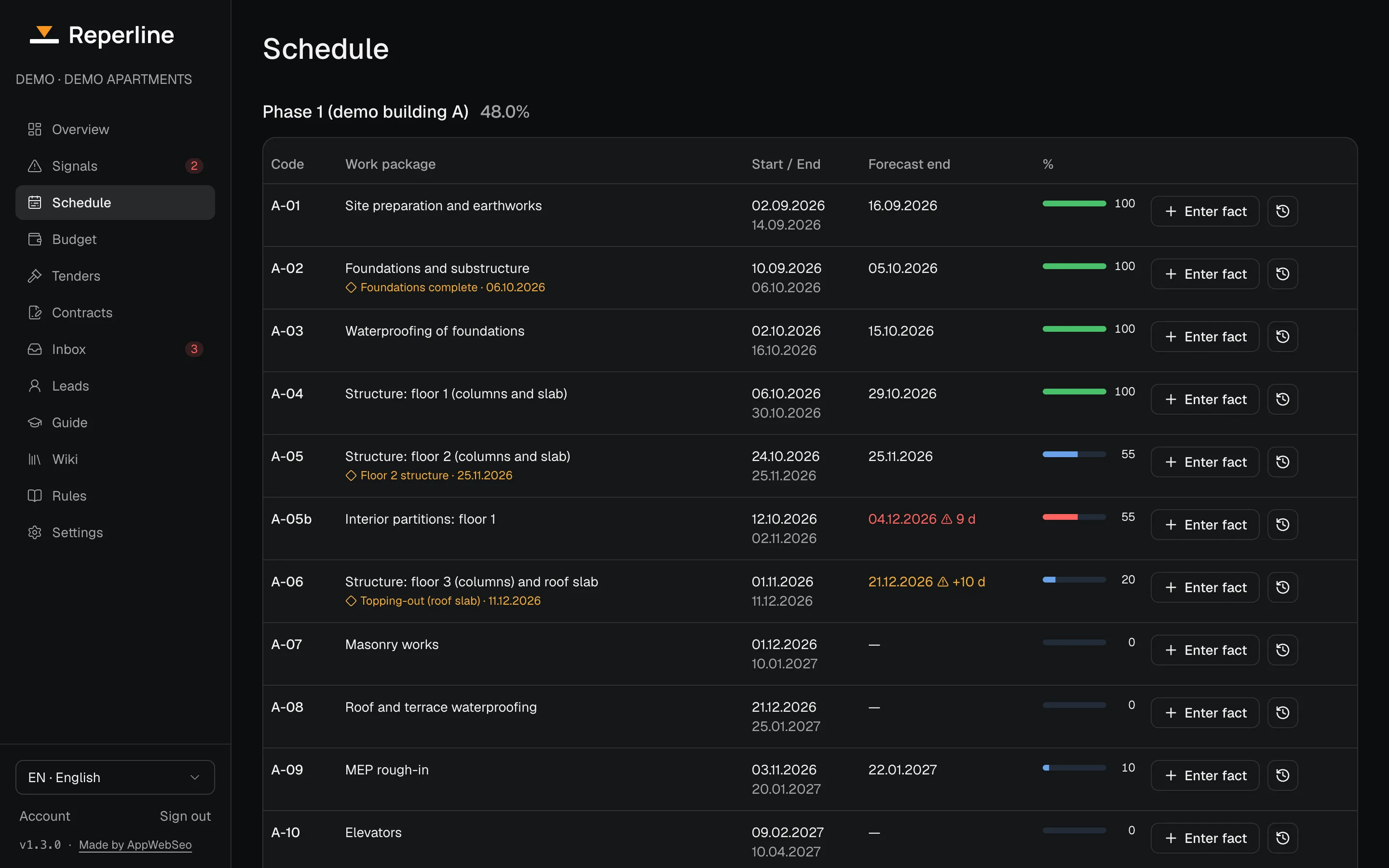
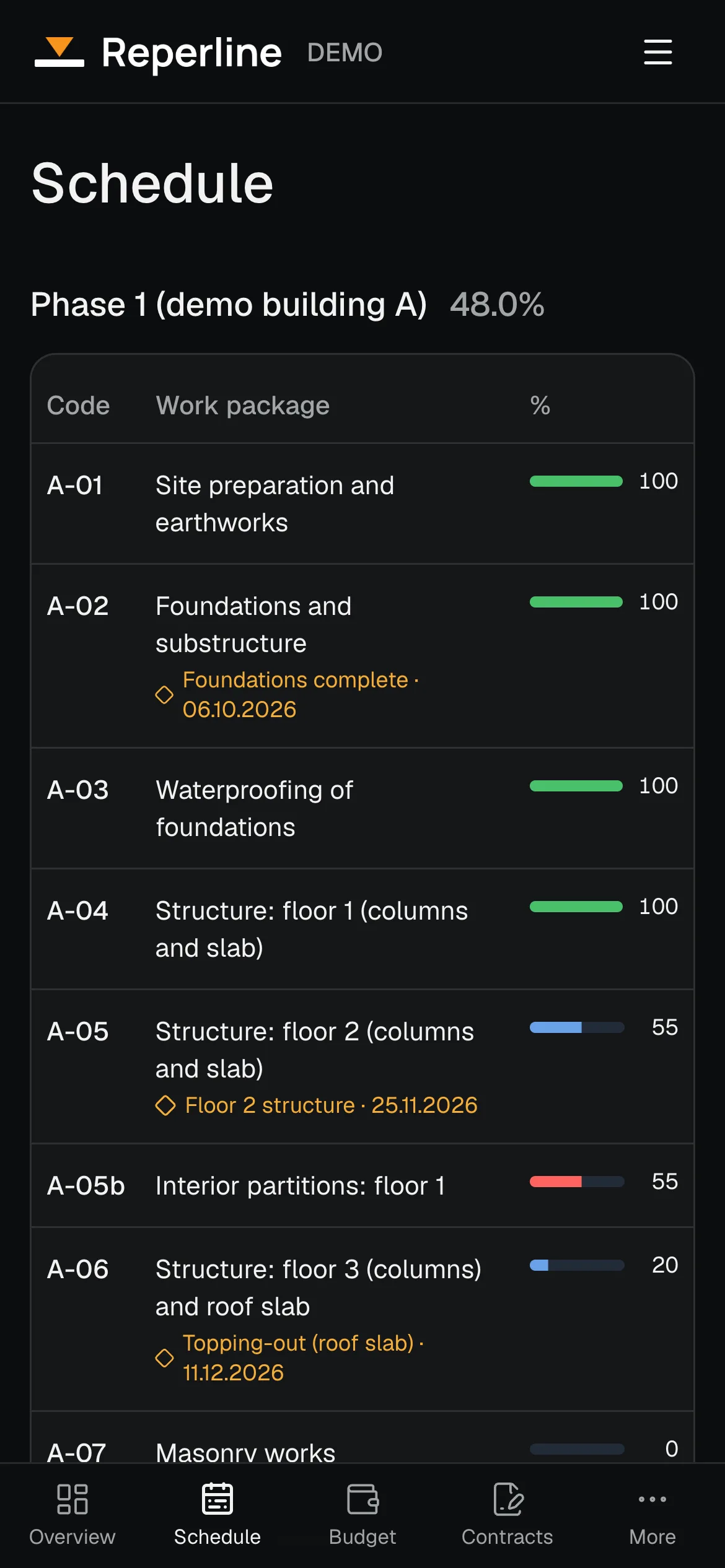
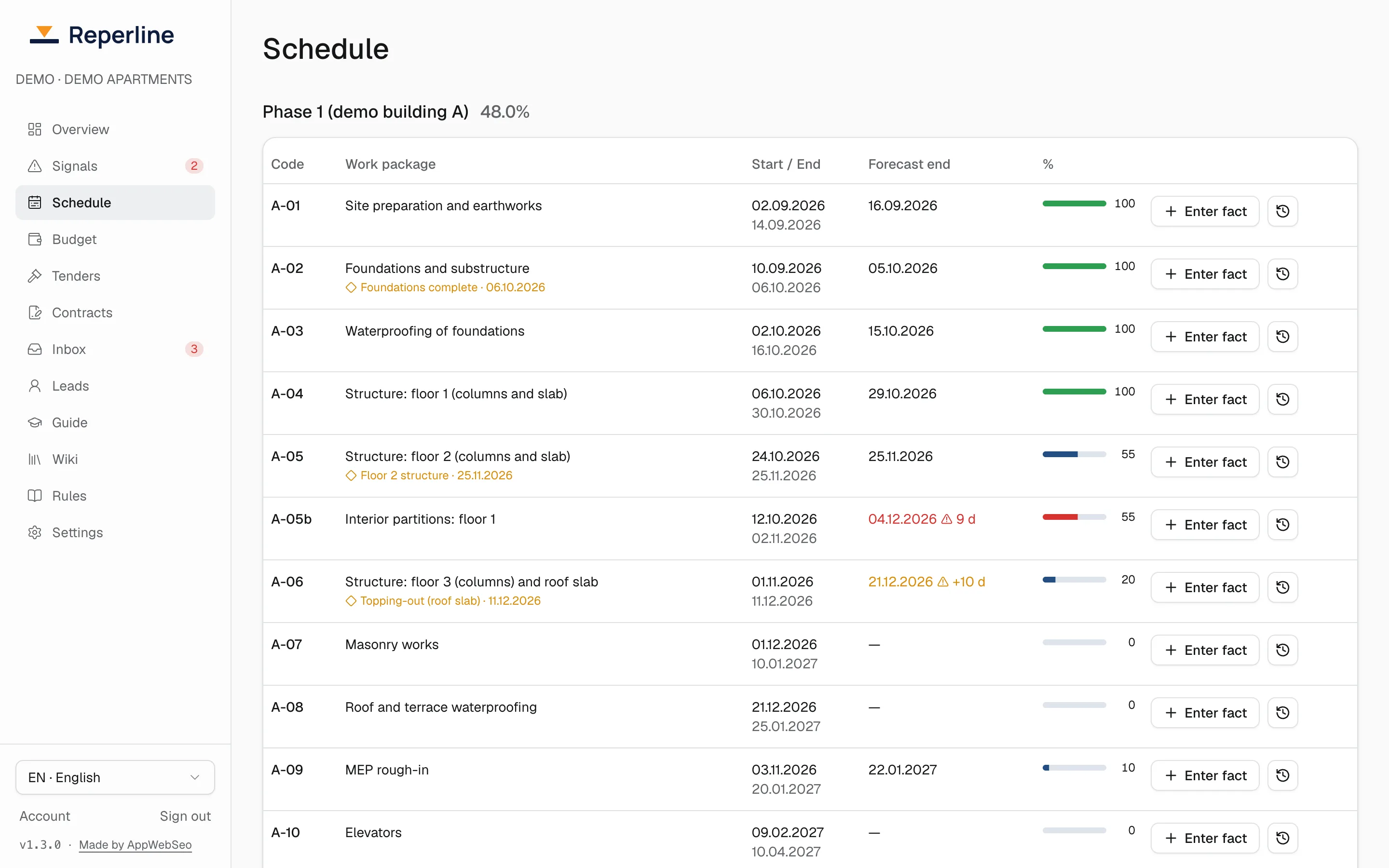
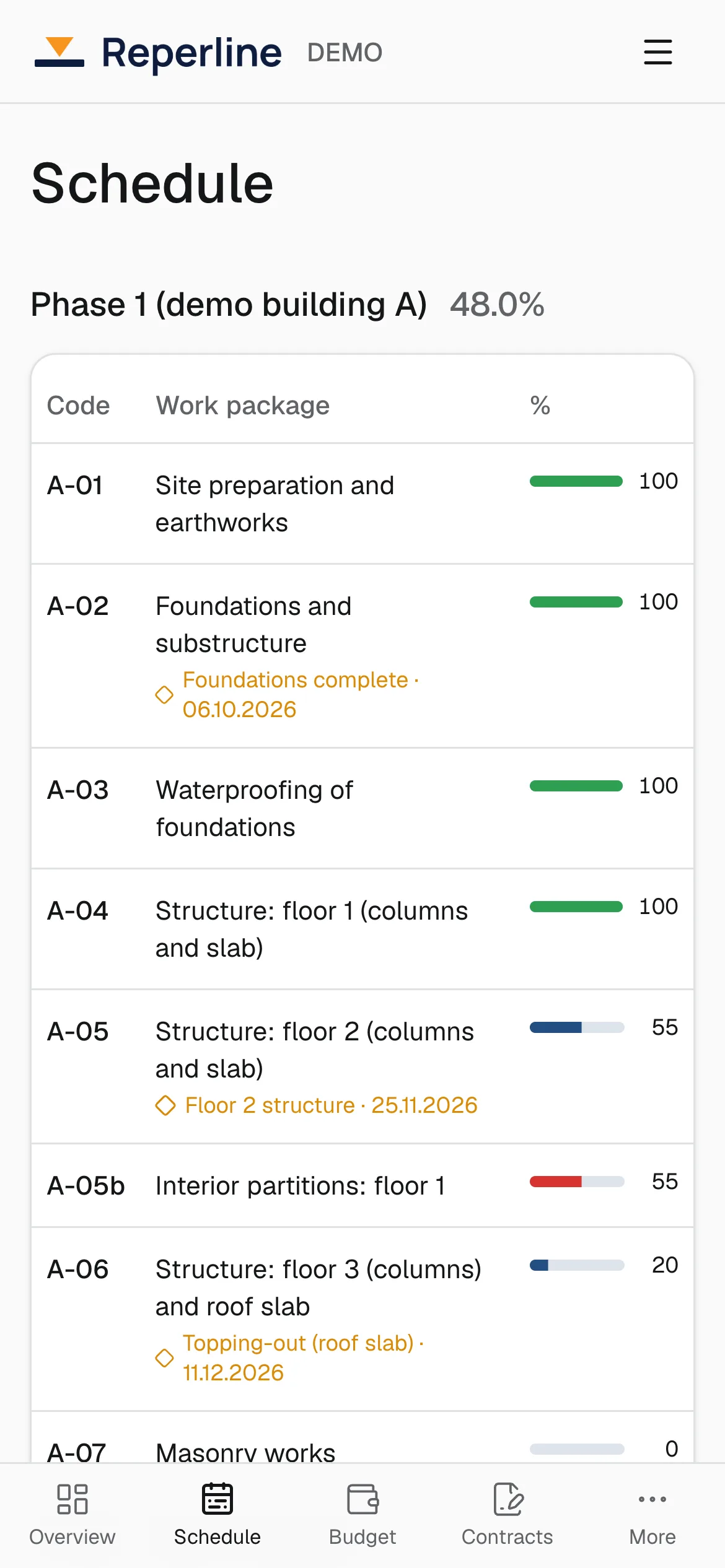
Each work package with its fact from site and its forecast end. Demo data. 04Signal: the right person hears about it the same day
A signal fires when a milestone is overdue, when its forecast runs behind the plan, when an item goes over budget, when money is invoiced faster than the work progresses, when a tender is about to close, when a site goes silent, or when a buyer payment is overdue.
Each signal gets a priority from its impact, its urgency and how certain the data is. The overview opens with the few that need a decision today. Critical and high ones go to the people responsible by Telegram and email.
- Who takes part
- The people whose role covers the area and the project.
- What you see
- Today's signals, the most important first, each with the reason in plain words.
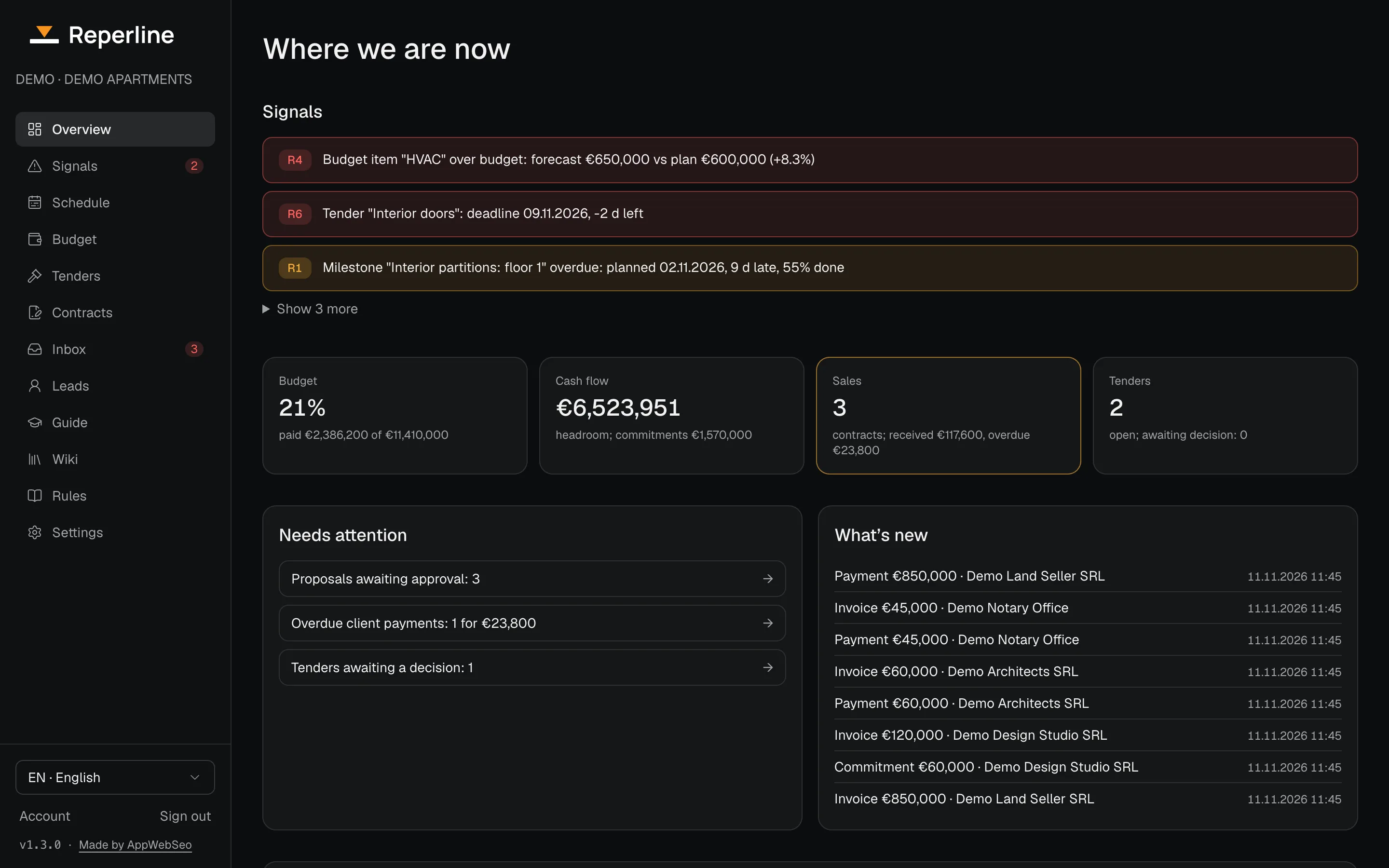
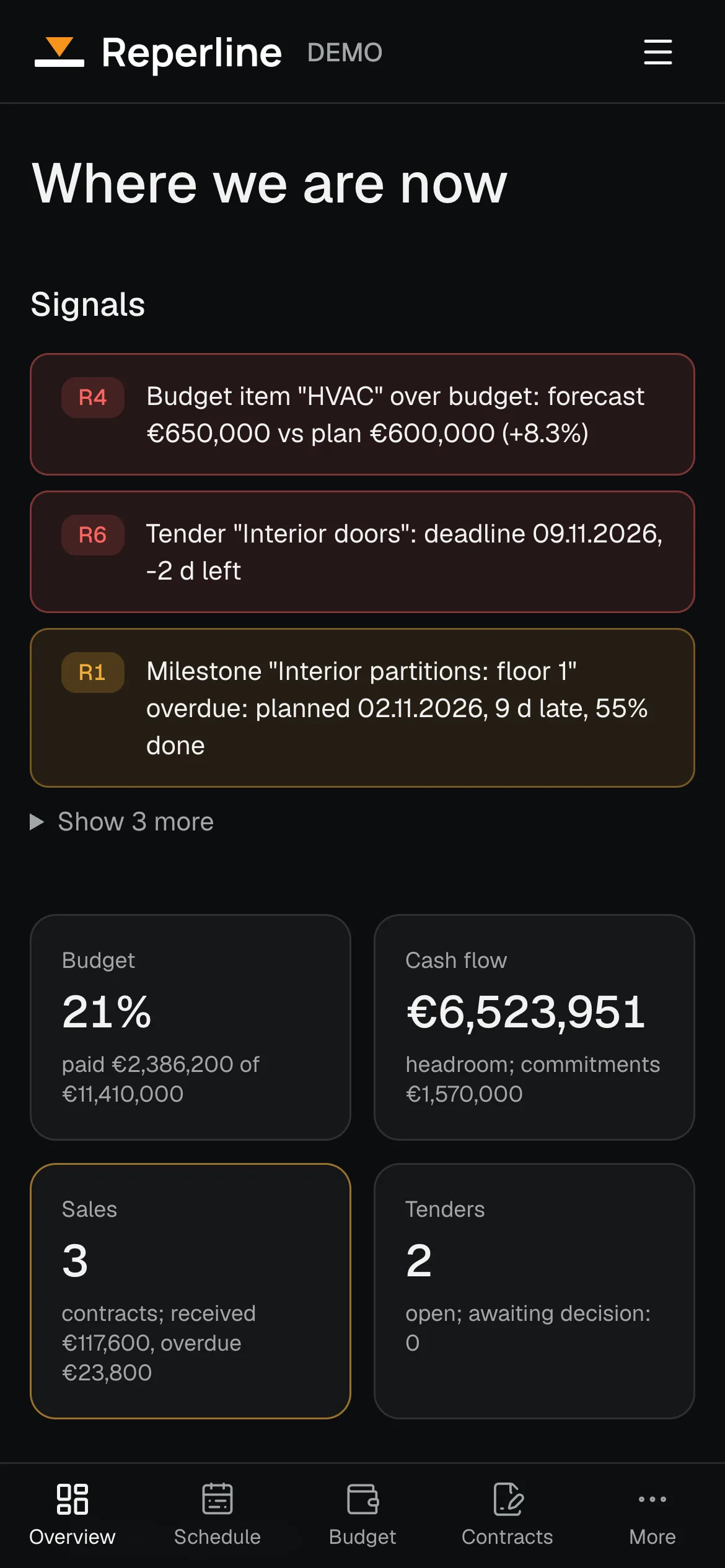
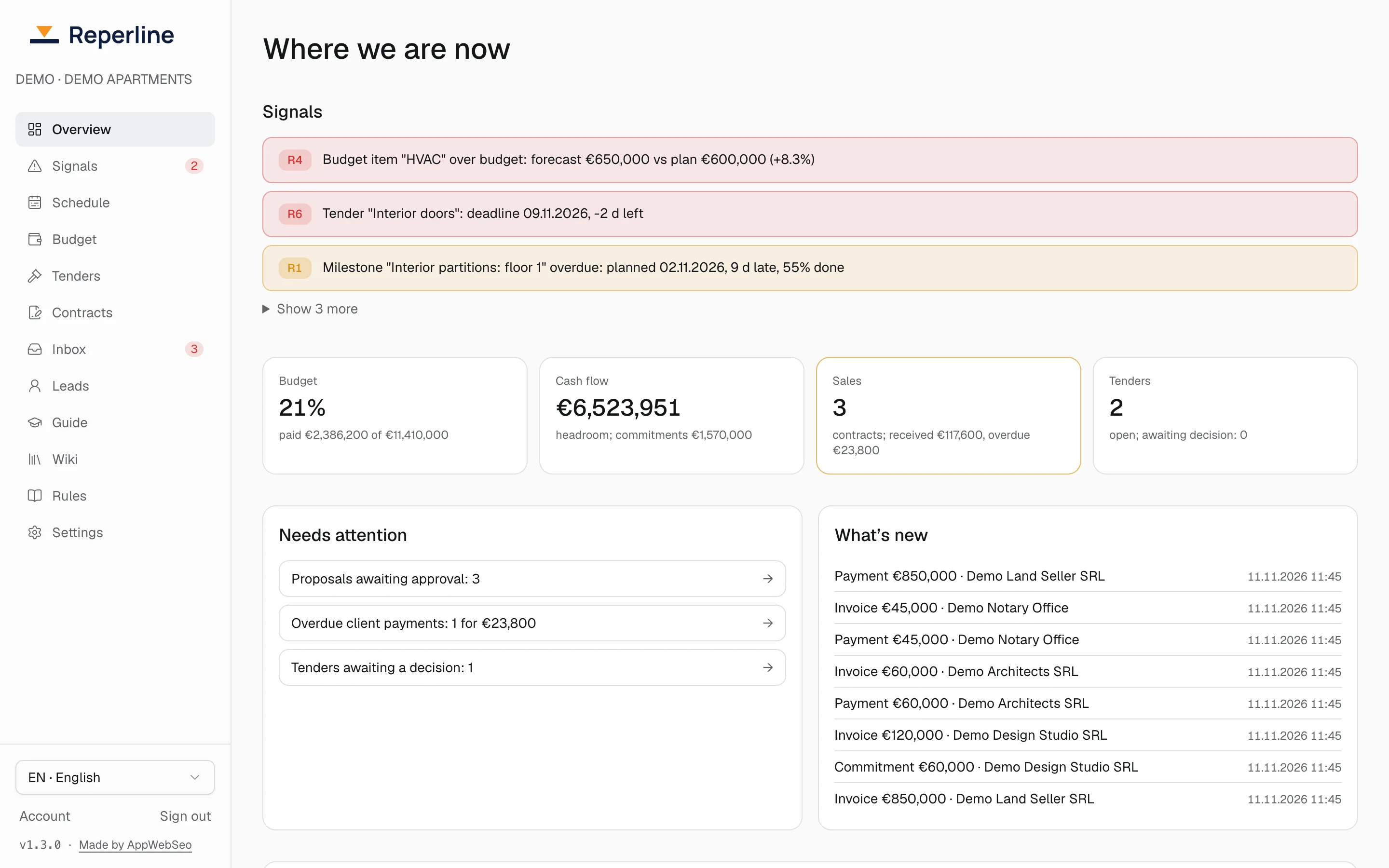
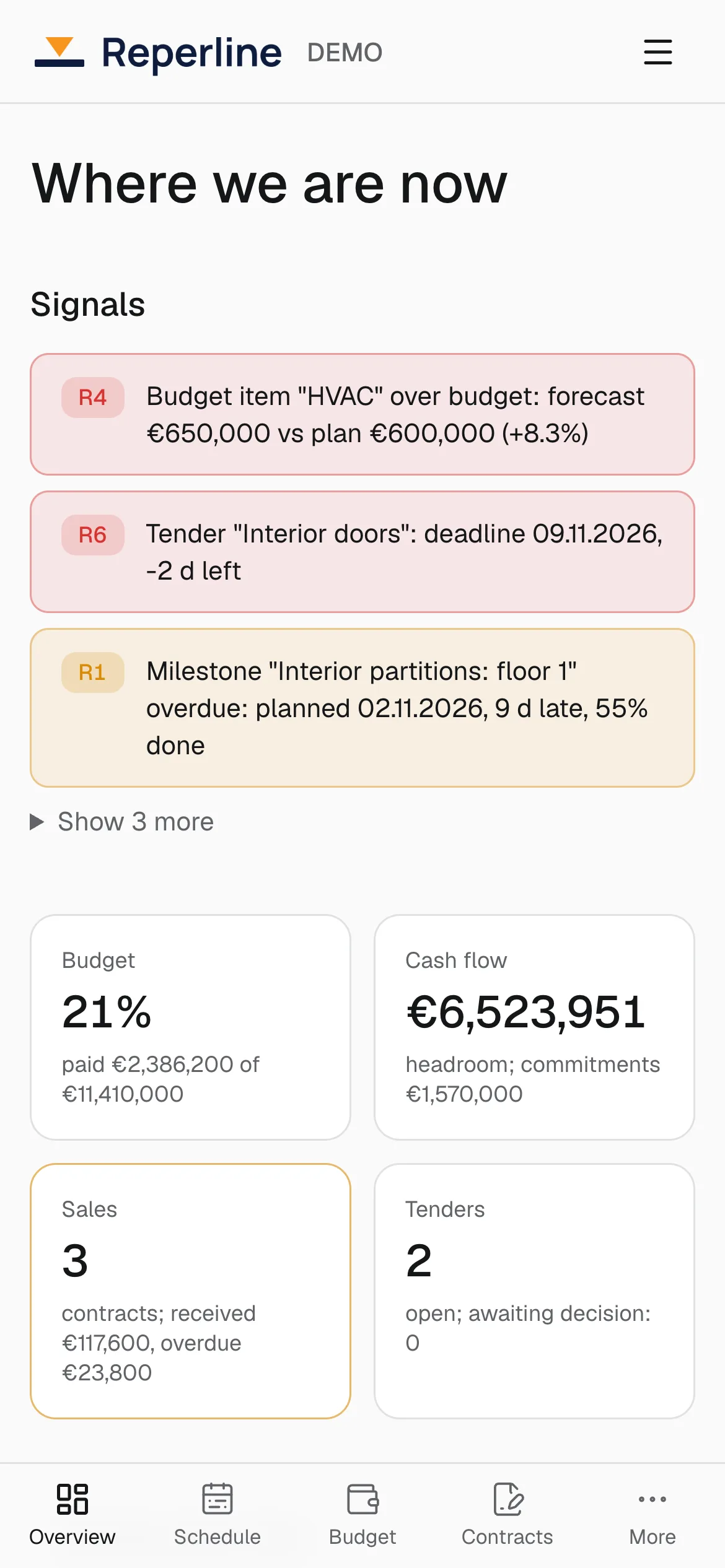
The overview opens with the signals that need a decision. Demo data. 05Decision: a person acts, and the action is kept
Anyone who sees a signal can take it with "I am on it", snooze it to a date, or dismiss it with a reason. A taken signal shows who took it and since when; if the cause is still there after seven days, the taker gets a reminder, and if the signal gets worse it comes back for everyone.
Every action is in the activity log. Each month the owner gets a report on what the system caught and what the team put right in time.
- Who takes part
- Managers and the owner.
- What you see
- Who took which signal, when, and what happened next.
What you need to start
An email address and a project. The rest is three steps, and the project runs the same day.
Sign up
Your email, a code from it and the company name. 14 days of full access, no card.
Build the project in the wizard
Project type, number of stages, key milestones. Each step offers a template, and the first signal shows right away.
Bring in the team and the site
Invite people with roles, site staff join in Telegram. A schedule PDF can be imported.
Your data stays after the trial
Nothing is charged automatically. 7 days view only, and data export works at any time.
Try it on your own project
Free for 14 days, no card. A wizard builds the project from a template, and the first signal shows right after it.